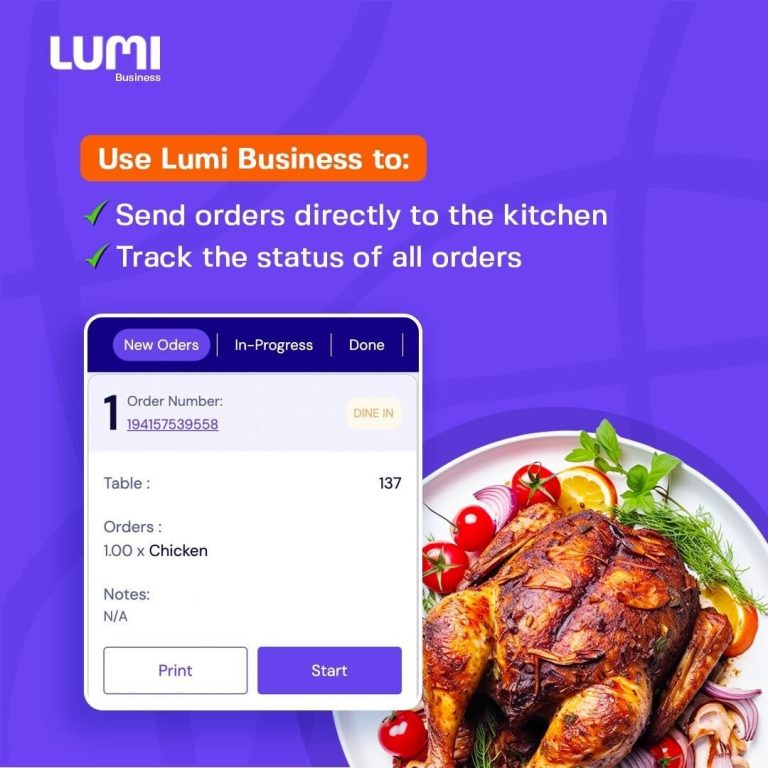
A Kitchen Display System for Nigerian Restaurants helps kitchens manage orders digitally, eliminating paper tickets, shouted instructions, and missed meals during peak hours.
For busy kitchens, a Kitchen Display System for Nigerian restaurants provides the visibility and order control needed to maintain service speed during peak hours ensures orders move clearly from the POS to the kitchen, helping chefs prioritise meals and maintain consistent service speed.
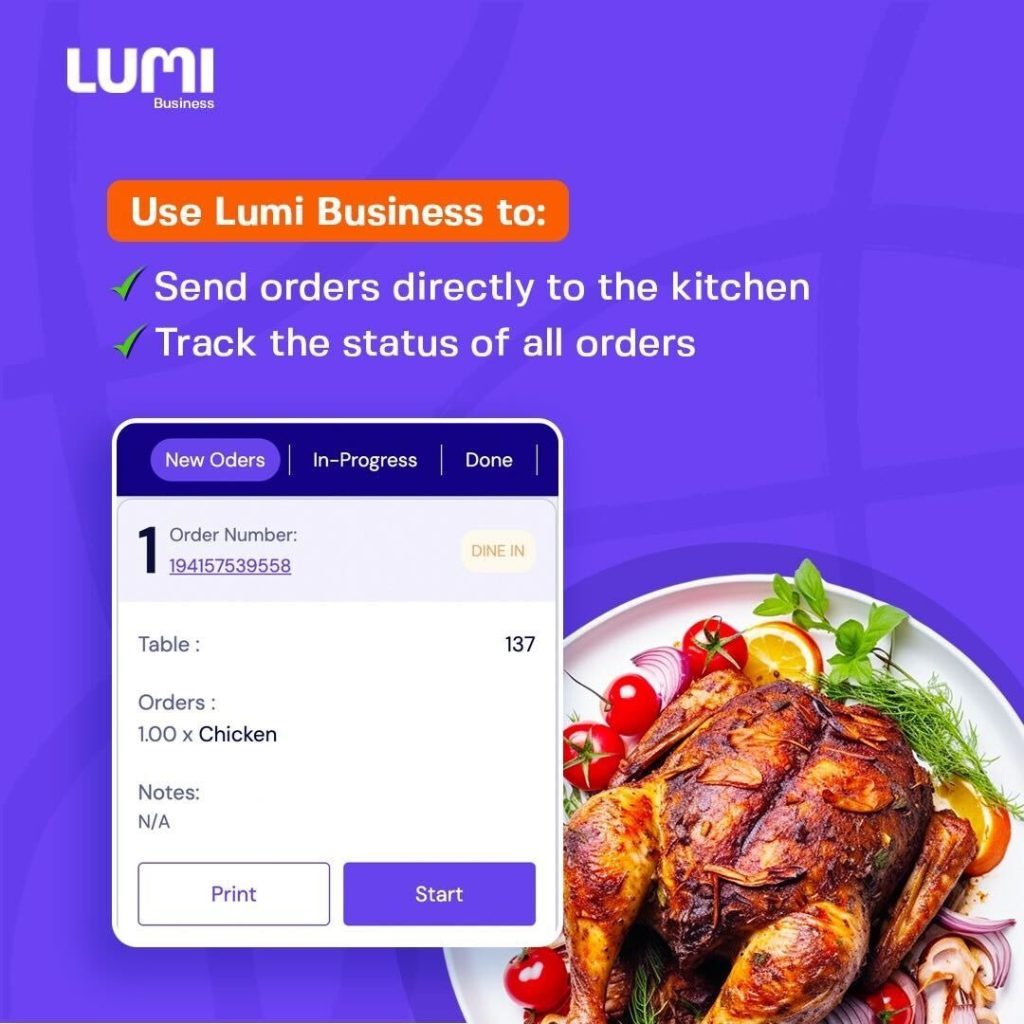
A Kitchen Display System (KDS) replaces handwritten tickets, shouted orders, and paper printouts with a real-time digital order screen that the kitchen can rely on, even during peak hours.
Common Kitchen Display Questions Restaurant Owners Ask
When searching for a Kitchen Display System, Nigerian restaurant owners often ask:
- How do I stop orders from getting lost between waiters and the kitchen?
- Can my kitchen see orders instantly once they are placed?
- How do chefs know which orders to prepare first?
- How do I reduce delays during rush hours?
These questions all point to the same issue: manual kitchen communication does not scale.
Why Kitchen Display Systems Matter in Nigerian Restaurants
In many restaurants, kitchen operations still rely on:
- handwritten order slips
- printed dockets that pile up
- verbal instructions that get forgotten
- staff running back and forth to confirm orders
During peak service periods, this leads to:
- delayed meals
- incorrect orders
- repeated remakes
- frustrated kitchen staff
- unhappy customers
This is why a Kitchen Display System for Nigerian restaurants has become a core requirement for dine-in operations that want to scale without increasing kitchen chaos.
Kitchen Display System for Nigerian Restaurants: How Modern Kitchens Stay Fast and Accurate
When evaluating a Kitchen Display System, restaurant owners should look for features that support real-time kitchen flow, including:
- Instant order visibility
Orders should appear on the kitchen screen immediately after being placed. - Clear order details
Each ticket should show items, quantities, table numbers (for dine-in), and special notes. - Order status tracking
Kitchen staff should be able to mark orders as New, In Progress, or Done. - Order prioritisation
The system should make it easy to see which orders came first and which need urgent attention. - Live updates
Quantity changes or edits should update instantly, without reprinting tickets.
These features reduce confusion and keep the kitchen focused on cooking — not decoding instructions.
How Kitchen Display Works on Lumi Business
The Kitchen Display System for Nigerian restaurants on Lumi Business is built to support real-time kitchen coordination during busy service periods. It is designed around real kitchen realities, not ideal scenarios.
From the kitchen screen:
- orders appear in real time as soon as they are placed
- each order clearly shows its status (new, in progress, done, cancelled)
- table numbers are visible for dine-in orders
- online orders/takeaway can be tracked
- quantity updates are flagged instantly
- staff can start, complete, or print orders without leaving the screen
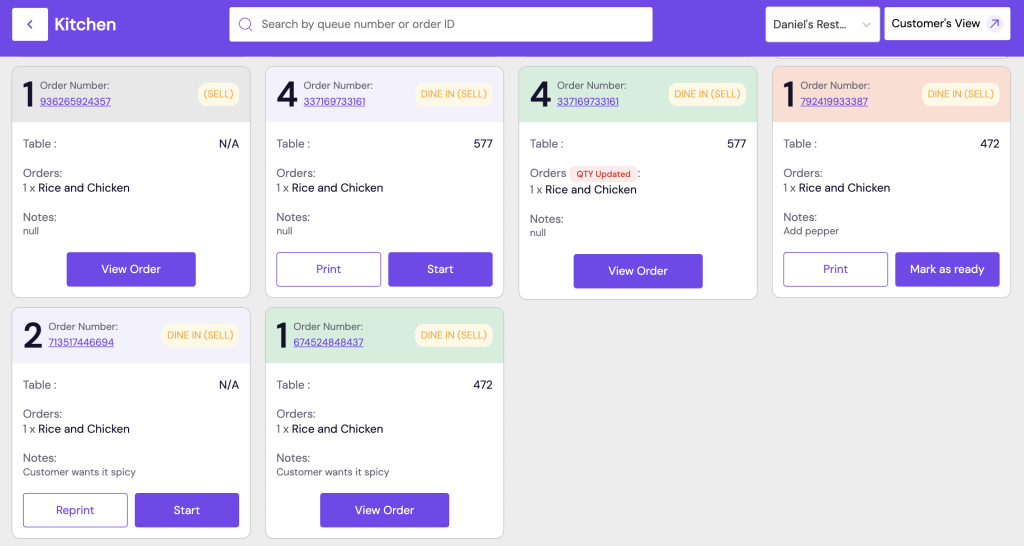
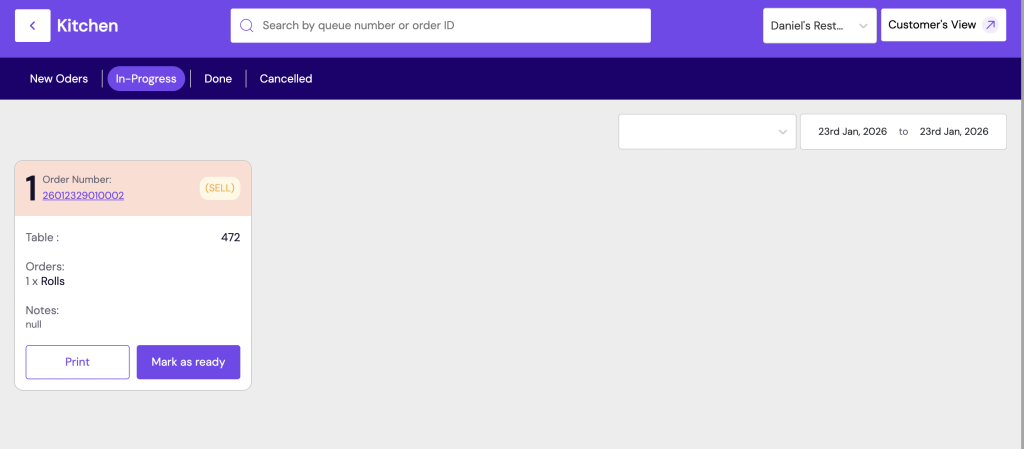
This structure helps kitchens stay organised even when multiple orders arrive at once.
How a Kitchen Display System Improves Service Speed
When properly implemented, a Kitchen Display System for Nigerian restaurants reduces kitchen confusion, missed orders, and unnecessary delays. With a proper Kitchen Display System in place:
- chefs no longer wait for printed dockets
- orders are prepared in the correct sequence
- fewer meals are missed or duplicated
- waiters don’t need to crowd the kitchen
- customers receive their food faster
For Nigerian restaurants operating under high pressure, this improvement directly impacts customer satisfaction and repeat business.
| Paper-Based Kitchen | Kitchen Display System |
|---|---|
| Orders can be lost | Orders stay visible until completed |
| Hard to prioritise | Orders are clearly queued |
| No live updates | Instant order changes |
| Staff rely on memory | Clear, shared visibility |
| Slower service | Faster, organised flow |
This is why many restaurants upgrading their POS also adopt a Kitchen Display System at the same time.
Kitchen Display System for Nigerian Restaurants: A Comparative Analysis
| Capability | Lumi Business | Hike Restaurant POS | Focus e-RMS (FocusSoftNet) | POSA (GetPOSA) | Yavneh Restaurant POS |
|---|---|---|---|---|---|
| KDS availability | Native KDS — built into platform and optimised for restaurant flow | KDS module available (integrated with Hike POS) | KDS available as part of restaurant suite (enterprise module) | Advertises KDS support / KDS integrations | Local POS with KDS / kitchen integration options |
| Real-time order push | Native — orders appear instantly on KDS | Yes (cloud push) | Yes (enterprise-grade integration) | Yes (depends on integration) | Yes (designed for local deployments) |
| Order status (New / In-progress / Done) | Native status workflow with start/mark-ready controls | Available in KDS module | Enterprise workflows and status tracking | Basic status indicators (depends on setup) | Basic status tracking present |
| Table → KDS linkage | Native table-initiated orders (table numbers show on KDS) | Available when used with Hike restaurant mode / setup required | Possible via configuration / module | Order-based primarily; table linkage available if configured | Dine-in table linkage supported (implementation dependent) |
| Multi-station / multiple kitchen screens | Built-in multi-station support (separate screens/sections) | Supported via KDS config | Designed for multi-kitchen/large operations | Limited/modular — depends on deployment | Supports kitchen stations; scale depends on package |
| Quantity/edits live update | Live updates flagged on KDS (no reprint) | Yes (cloud sync) | Yes | Yes (implementation dependent) | Yes |
| Offline / Local resilience | Cloud with offline/resync capabilities (designed for Nigerian connectivity realities) | Cloud-first; offline tills available | Enterprise installs can be made resilient | Cloud-first; local deployment options | Local deployments available |
| Staff accountability (who started/completed order) | Native staff traceability per order/table | Role-based logs; depends on setup | Enterprise logging / user audit trails | Basic user logs | Basic staff assignment tracking |
| Ease of setup (for Nigerian restaurants) | Designed for Nigerian restaurants; faster time-to-live | Relatively easy (SaaS setup) | More complex — enterprise onboarding/partners | Medium — local partners available | Local vendor — easier local support |
| Best fit | Busy dine-in restaurants that need native table→kitchen flow | SMEs wanting a straightforward SaaS restaurant POS + KDS | Large hotels / chains needing custom workflows & integrations | Small–mid restaurants wanting local POS + KDS | Local restaurants seeking Nigeria-centric POS + KDS support |
Pricing Comparison: Restaurant POS & Kitchen Display Systems in Nigeria
| Vendor | Pricing Model | Essential | Growth/Scale | Enterprise | Notes |
|---|---|---|---|---|---|
| Lumi Business | Subscription | ₦10,750/mo | ₦18,275–₦32,250/mo | Custom | Includes table management, KDS, reports (Nigeria-focused). Available only on the scale plan. |
| Hike Restaurant POS | Subscription | $59/mo (₦88,500) | $99/mo (₦148,500) | Custom | KDS included in Restaurant plan; global pricing converted to NGN. Costs may vary with Hike promos. |
| POSA (GetPOSA) | License / Subscription | ₦5,000/mo | ₦15,000–₦30,000/mo | Custom | Nigerian POS with optional KDS available on POSA Premium. |
| Focus e-RMS | License / Perpetual + Support | ₦150,000+ (one-time) + support | ₦300,000+ + support | Custom | Enterprise grade; heavier initial investment but long-term licence. KDS included in larger bundles. |
| Yavneh Restaurant POS | License / Subscription | ₦20,000–₦30,000/mo | ₦30,000–₦50,000/mo | Custom | Local system with restaurant modules; KDS available but may require setup. |
Conclusion
For restaurants evaluating a Kitchen Display System for Nigerian restaurants, the goal is simple: faster service, fewer errors, and better coordination between front-of-house and kitchen staff. Restaurants struggle when:
- tables aren’t clearly managed
- kitchens receive incomplete or delayed orders
- staff actions aren’t traceable
- end-of-day figures don’t reconcile
That’s why effective table management and kitchen display systems are the foundation of any POS that works in real Nigerian restaurant environments.
The best systems are not defined by feature lists, but by how well they support:
- real-time table visibility
- clean order flow from table to kitchen
- staff accountability
- speed and accuracy during peak periods
Restaurant-first platforms like Lumi Business are designed around these realities, helping operators maintain clarity and consistency even under pressure.
Choosing the right Kitchen Display System for Nigerian restaurants plays a major role in improving kitchen efficiency, customer satisfaction, and overall restaurant performance.
Frequently Asked Questions About Restaurant POS and Kitchen Display Systems in Nigeria
What is a Kitchen Display System (KDS) in a restaurant?
A Kitchen Display System (KDS) is a digital screen used in the kitchen to receive and manage orders in real time. Instead of relying on paper tickets or verbal instructions, orders are sent directly from the POS to the kitchen display, helping chefs prioritise meals, reduce errors, and improve speed.
Why is table management important for Nigerian restaurants?
Table management is critical because it controls how orders, staff actions, and payments are organised during dine-in service. Without proper table management:
- orders can be attached to the wrong table
- customers experience delays
- bills are disputed
- staff accountability becomes unclear
For busy Nigerian restaurants, poor table management is often the root cause of service breakdowns.
Can a restaurant POS work without a Kitchen Display System?
Yes, but it is not ideal for high-volume restaurants. Without a Kitchen Display System:
- kitchens rely on paper tickets or verbal communication
- orders are easier to miss or delay
- it becomes harder to prioritise meals during rush hours
Restaurants that serve dine-in customers consistently benefit from combining table management with a KDS.
Are Kitchen Display Systems only for large restaurants?
No. Small and mid-sized restaurants also benefit from a Kitchen Display System, especially when:
- staff multitask across roles
- owners are not always on-site
- service speed affects repeat business
Even a single kitchen screen can significantly improve order accuracy and coordination.
How much does a POS with Kitchen Display cost in Nigeria?
Pricing varies based on:
- number of terminals and kitchen screens
- features included (table management, reports, inventory)
- support and onboarding requirements
In Nigeria, restaurant POS systems with Kitchen Display typically range from ₦15,000 to ₦80,000 per month, while enterprise solutions may require higher upfront or custom pricing.
How does Lumi Business support table management and kitchen display?
Lumi Business is designed with restaurant workflows in mind. Tables are treated as live operational units, and orders flow digitally from tables to the kitchen display and then to payment, helping restaurants reduce confusion and maintain control during busy service periods.
Is a Kitchen Display System worth it for Nigerian restaurants?
For restaurants that experience rush hours, order mix-ups, or slow service, a Kitchen Display System is usually worth the investment. It improves speed, accuracy, and coordination — all of which directly affect customer satisfaction and repeat visits.