Running a modern retail or hospitality business requires more than just recording sales. Merchants need speed at checkout, accuracy in records, flexibility in payments, and deep visibility into finances and operations. At Lumi Business, we continue to build tools that reflect how businesses actually operate in the real world.
Our latest updates to the Lumi Business Inventory App introduce a refined Enhanced Sell Mode experience alongside powerful financial, pricing, and operational improvements. These features are designed to reduce friction, eliminate errors, and give business owners better control across sales, expenses, returns, and reporting. By refining payment flows and post-sale visibility, the enhanced sell mode supports smoother day-to-day operations for growing businesses
Below is a detailed look at what’s new and how these improvements help merchants work smarter, not harder.
Enhanced Sell Mode Experience
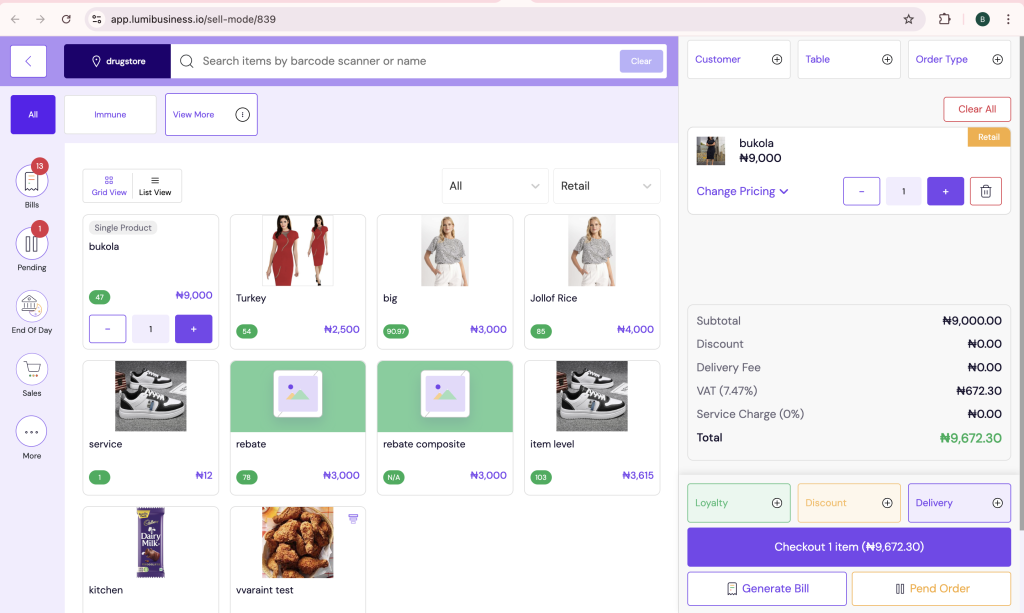
The Sell Mode has been carefully redesigned to deliver a smoother, faster, and more informative checkout process for both merchants and frontline staff. Whether you run a retail store, restaurant, café, or multi-store business, the new Sell Mode adapts to different order types while maintaining speed and clarity.
Streamlined Payment Selection
Payment selection is now clearly structured and easy to navigate. Cashiers can quickly choose from categorised payment methods such as Cash, Card, Transfer, Wallet, Credit, Split Payment, and PR, reducing hesitation and checkout delays.
This clear separation of payment options minimizes mistakes, especially during peak business hours, and ensures that each transaction is accurately recorded from the start.
Split Payment for Customer Checkout
Customers don’t always want to pay with a single method. With the new Split Payment option, cashiers can accept multiple payment types within one transaction—for example, combining cash and card payments.
This flexibility improves the customer experience, reduces abandoned sales, and allows staff to close transactions smoothly without workarounds or manual adjustments.
Customer and Order Details Capture
Sell Mode now supports richer transaction data. Staff can easily capture customer names, assign tables, and specify order types such as dine-in, pickup, or delivery. This is especially valuable for restaurants, hospitality businesses, and stores managing complex orders.
By collecting these details at checkout, businesses improve order tracking, customer service, and post-sale follow-ups.
Real-Time Order Summary Breakdown
As items are added to the cart, the system displays a real-time breakdown of charges, including VAT, service charges, discounts, and delivery fees. This transparency ensures staff and customers clearly understand how totals are calculated, reducing disputes and improving trust.
Order Completion View: Clear Visibility After Every Sale
Once a transaction is completed, the new Order Completion View provides a comprehensive snapshot of the sale.
Merchants can view a detailed order summary that includes item breakdowns, cashier name, transaction reference, and payment method used. From the same screen, users can instantly generate invoices or waybills and print POS or standard sales receipts with a single click.
This eliminates the need to navigate multiple pages after checkout and ensures that documentation is available immediately, supporting faster service and better record-keeping.
Enhanced Expense Category Management for Owners and Admins
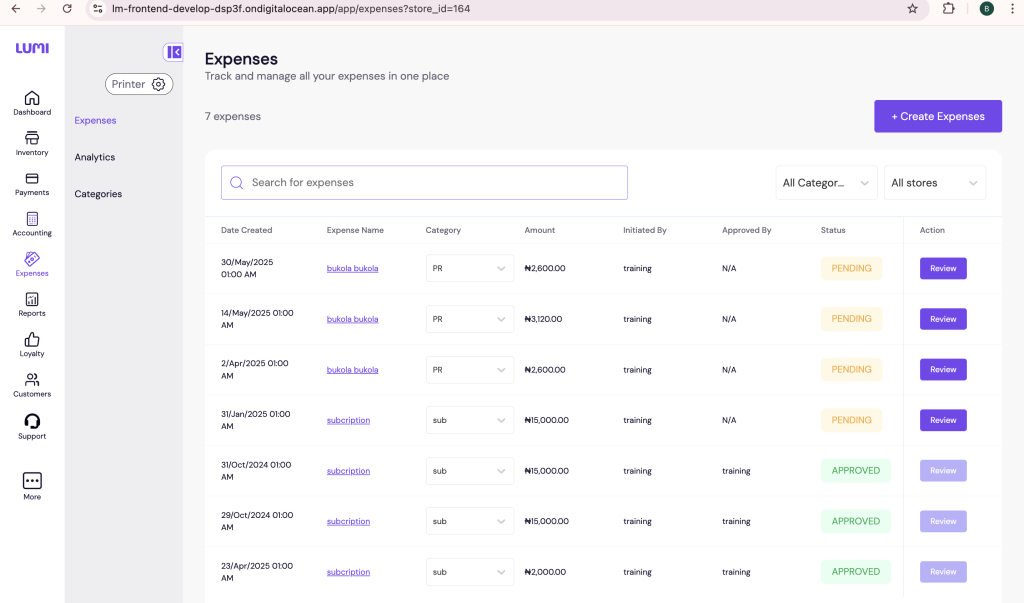
Accurate expense tracking is essential for understanding profitability. Lumi Business has enhanced expense category management to give owners and administrators more control over how expenses are organised and analysed.
Greater Control Over Expense Categories
Business owners and admins can now edit or delete expense categories directly within the system. This allows merchants to remove outdated categories, correct mistakes, and tailor expense structures to match their actual operations.
Smarter Expense Filtering and Analytics
Expenses and analytics pages now support category-based filtering, making it easier to track spending patterns and analyze costs by category. This helps businesses quickly identify areas where costs are rising or where savings can be made.
By cleaning up expense data and enabling targeted analysis, merchants gain clearer financial insights and make more informed decisions.
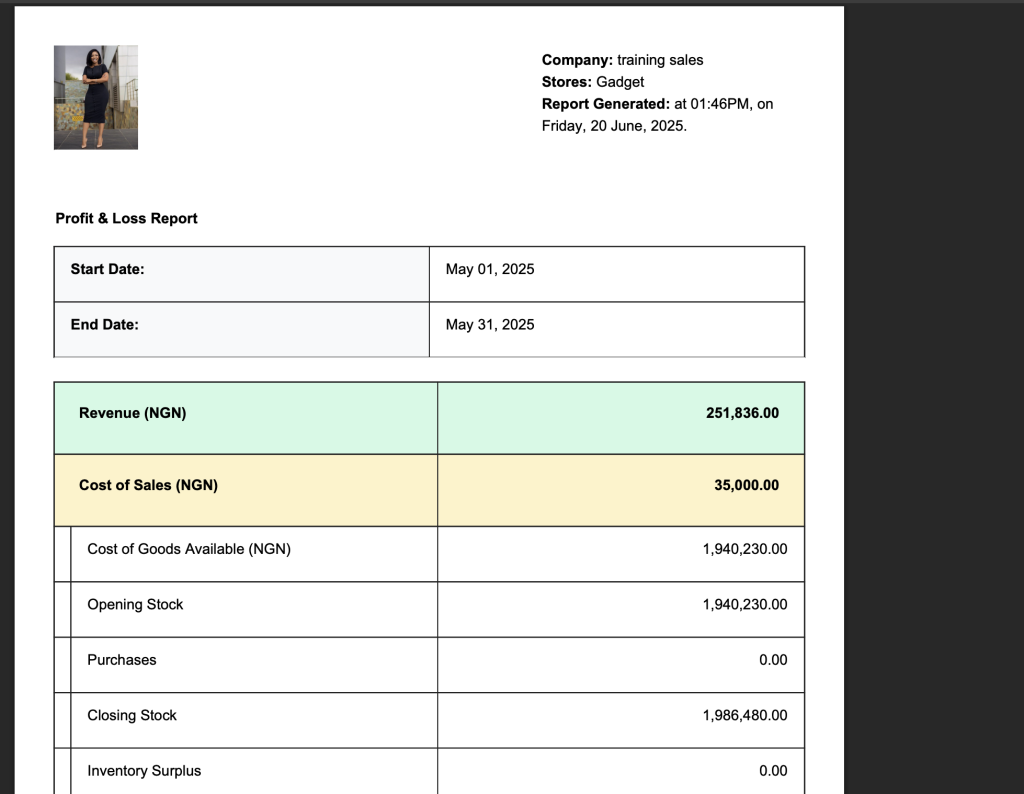
Downloadable Profit & Loss (PnL) Reports in Excel and PDF
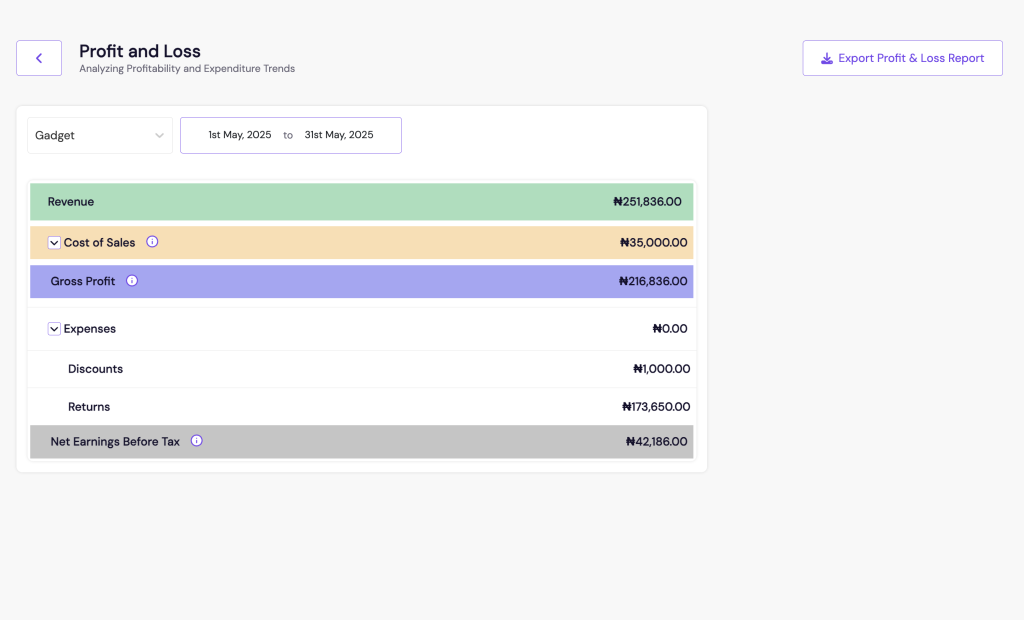
Financial reporting should work around your workflow—not the other way around. Lumi Business now allows merchants to download Profit & Loss reports in both Excel and PDF formats directly from the platform.
Excel reports support deeper analysis, custom calculations, and forecasting, while PDF reports are ideal for sharing with accountants, auditors, investors, or internal stakeholders.
This update removes the need for manual data copying, reduces errors, and makes financial reporting faster and more professional.
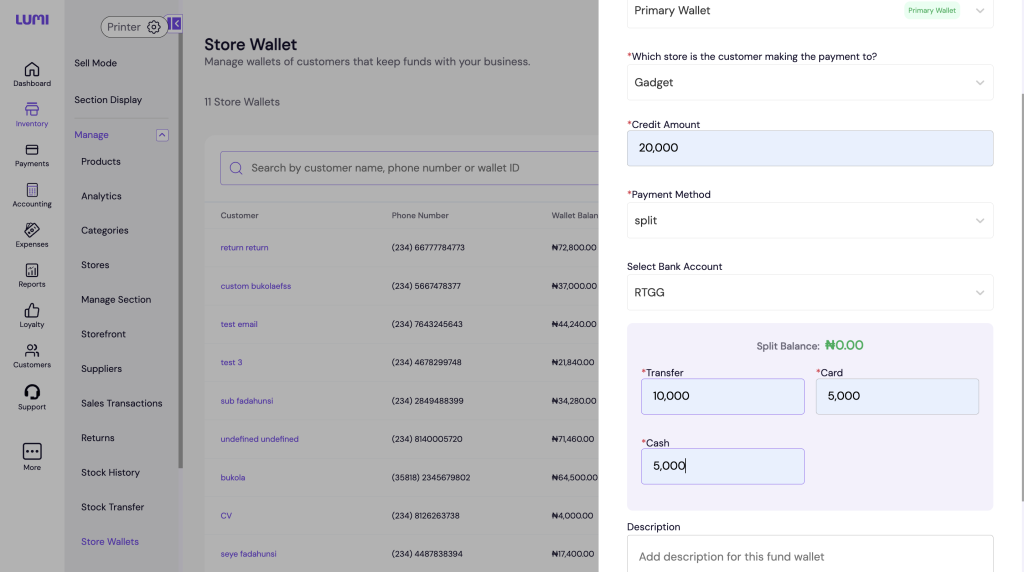
Split Payment Option for Wallet Funding
Wallet funding has also been upgraded to reflect real-world payment behaviour. Merchants can now fund their store wallet using split payments, combining methods such as debit or credit cards, bank transfers, and cash in a single top-up.
This flexibility is particularly useful when funds come from multiple sources or when merchants want to balance personal and business payments. It ensures uninterrupted operations and better cash flow management without unnecessary delays.
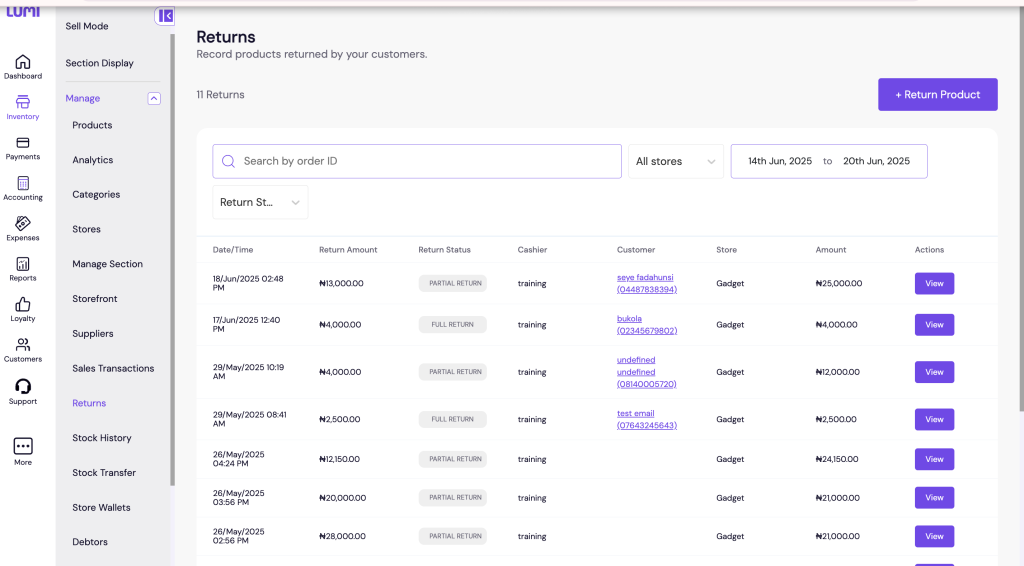
Returns Tracking Page for Full Visibility and Accountability
Managing returns can be complex, especially in high-volume or multi-store environments. The new Returns Tracking Page provides a dedicated space to track all return transactions with full transparency.
Each return is logged individually, showing the items returned, the staff member who processed the return, and the store involved. This page is accessible from both Sell Mode and Manage Mode, making it easy to reconcile returns at any time.
By recording each return separately, businesses reduce confusion, maintain accurate inventory and refund records, and improve accountability across teams.
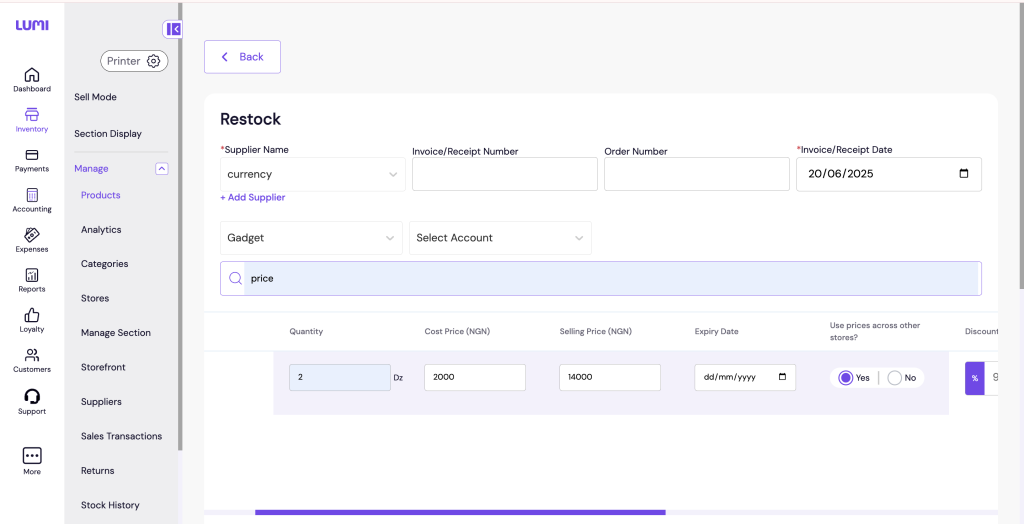
Price Synchronization Control for Unified Pricing Across Stores
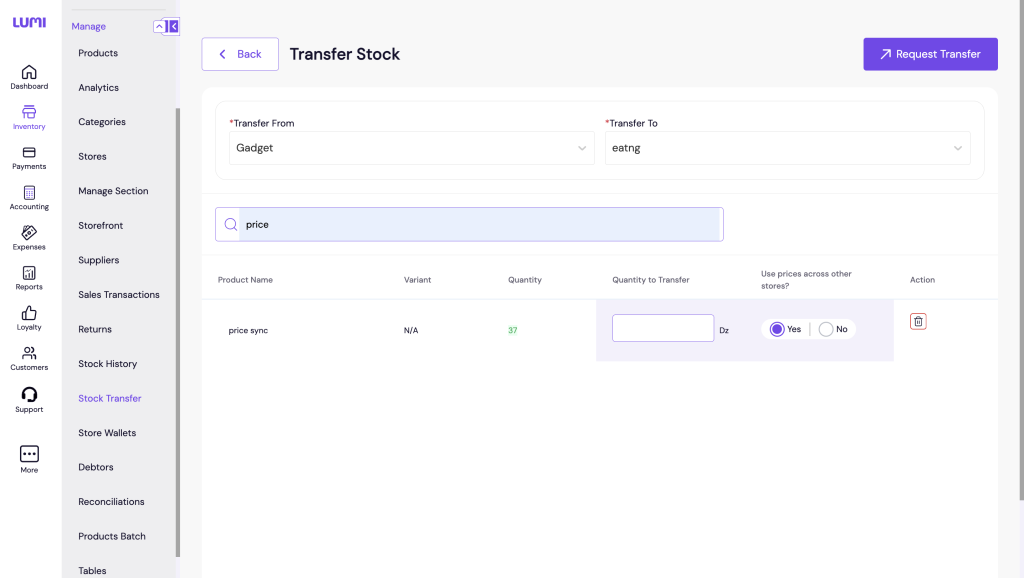
Inconsistent pricing across locations can lead to customer dissatisfaction and operational confusion. Lumi Business now gives merchants price synchronization control during restocks and stock transfers.
When updating prices, merchants can choose whether to apply changes across all linked stores or keep pricing local. This ensures consistent pricing where needed while retaining flexibility for location-specific strategies.
The result is fewer pricing errors, reduced manual updates, and a smoother customer experience across all stores.
Customer Selection Modal for Mandatory Checkout
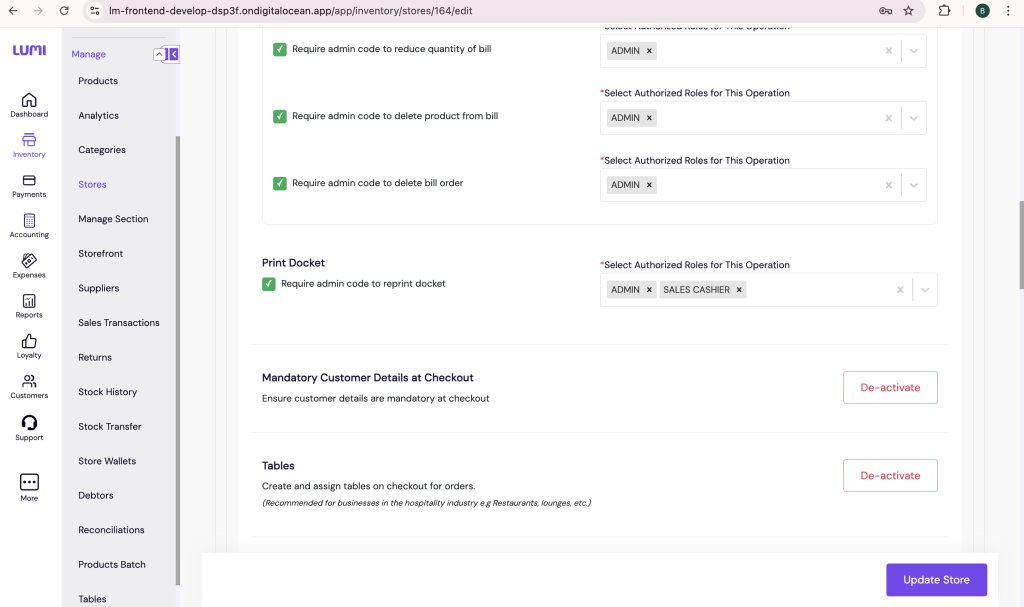
For businesses that require customer information at checkout, Lumi Business now enforces this through a Customer Selection Modal. When enabled in store settings, the system automatically prompts staff to select a customer before completing a sale.
This prevents incomplete sales records, improves customer tracking for receipts and returns, and supports loyalty programs and follow-ups. The guided flow ensures no critical step is skipped, even during busy periods.
Why These Updates Matter for Your Business
The enhanced sell mode was built to give merchants faster checkout, clearer payment flows, and better visibility into every transaction.
Together, these enhancements transform the Lumi Business Inventory App into a more powerful, flexible, and reliable platform. Merchants benefit from:
- Faster and more accurate checkout experiences
- Improved financial clarity and reporting
- Better control over pricing, expenses, and returns
- Stronger customer data and accountability
Whether you operate a single store or manage multiple locations, these features help you reduce errors, save time, and focus on growing your business.
Lumi Business continues to evolve with real merchant needs at its core—delivering tools that simplify operations, strengthen decision-making, and support long-term success.