Overview
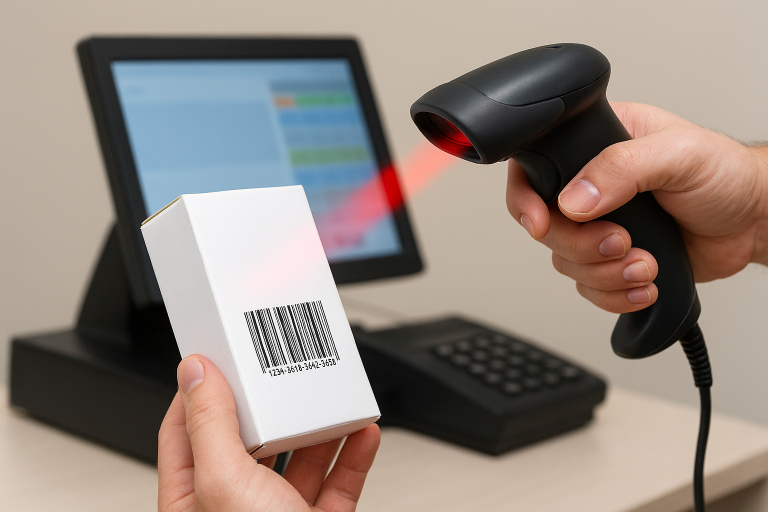
Lumi Business POS gives Nigerian businesses a modern, accurate, and efficient way to manage sales using barcode scanning. This barcode scanning POS Nigeria feature helps retailers speed up checkout while keeping inventory accurate across all operations.
Whether you run a supermarket, pharmacy, fashion store, mini-mart, or electronics shop, a POS system in Nigeria with barcode scanning helps eliminate errors and speed up operations.
What Is Barcode Scanning in Lumi Business POS?
Barcode scanning in Lumi Business POS allows merchants to scan product barcodes directly using:
- their Android device camera, or
- a physical barcode scanner
Once scanned, Lumi automatically retrieves:
- product name
- price
- stock level
…and instantly adds the item to the cart. This gives you a full POS with barcode scanner Nigeria solution, without manual entry.
This makes your retail operation faster, more accurate, and easier to manage.
Why Barcode Scanning Matters for Retailers in Nigeria
Retailers in Nigeria — especially supermarkets, pharmacies, and mini-marts — manage hundreds or thousands of SKUs. Manually searching for products slows down operations and increases mistakes.
Barcode scanning solves these problems by:
- Reducing manual lookup time
- Eliminating price and stock entry errors
- Improving accuracy during sales and restocking
- Ensuring consistent pricing
- Speeding up checkout
- Supporting reliable inventory management software Nigeria businesses need
Key Benefits of Barcode Scanning in Lumi Business
- Faster checkout and shorter queues for customers
- Accurate product identification with reduced staff error
- Stronger stock accuracy across sales, GRN, and restocking
- Less training required for new staff
- Supports flexible selling using Mobile POS Nigeria
- Improved financial control through accurate reports
- Works seamlessly with Lumi Business retail inventory software Nigeria
How Barcode Scanning Works in Lumi POS
1. Open the Sell Screen
Go to Sell in Lumi POS.
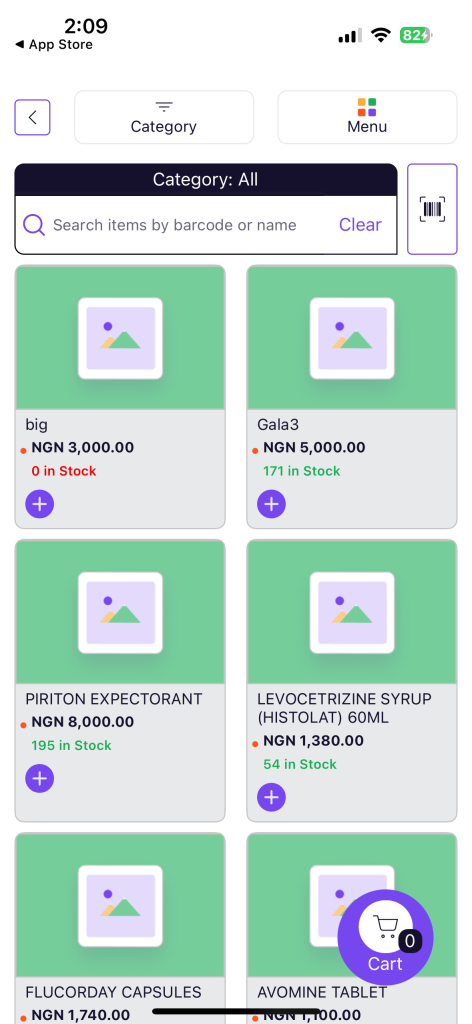
2. Tap the Barcode Icon
Tap the barcode icon beside the search bar to open the camera scanner.
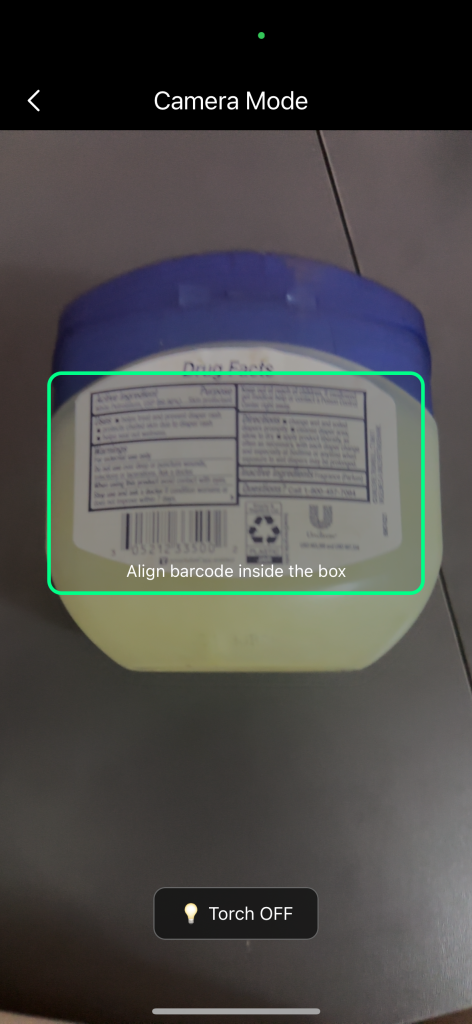
3. Scan the Product
Point your camera at the product barcode. Lumi instantly detects the code and retrieves product information.
4. Add the Item to Cart
The item appears automatically in the cart for checkout.
Barcode Management Flow in Lumi Business POS
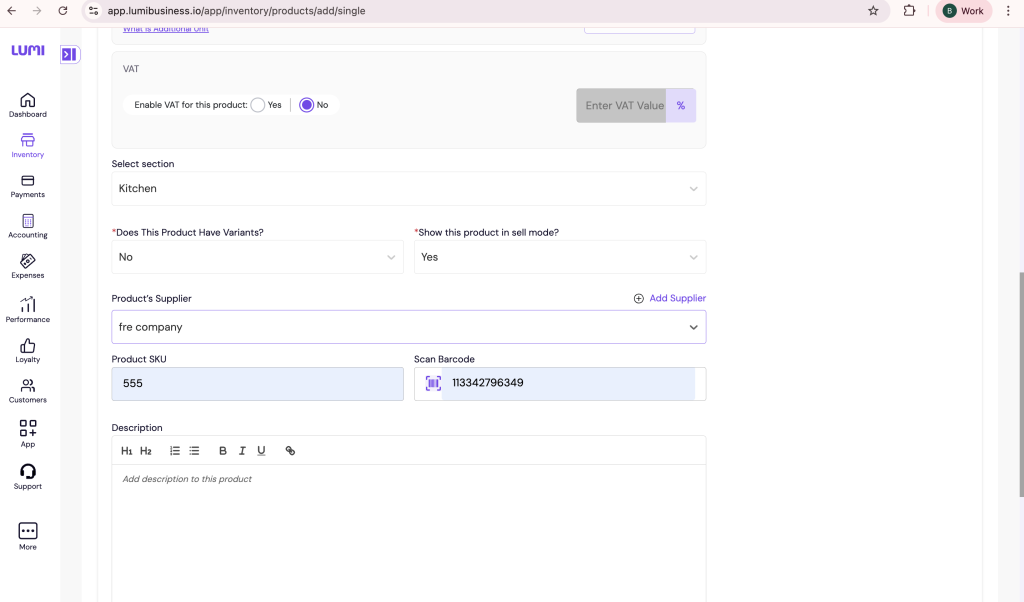
. Add Barcode During Product Creation
- Go to Inventory → Products → Add Product
- Locate the Barcode field
- Scan using a camera or scanner
- Lumi auto-fills the barcode number
- Save product
Why this matters: Ensures every SKU is properly registered for future scanning in your barcode inventory system Nigeria.Add Barcode During Product Creation
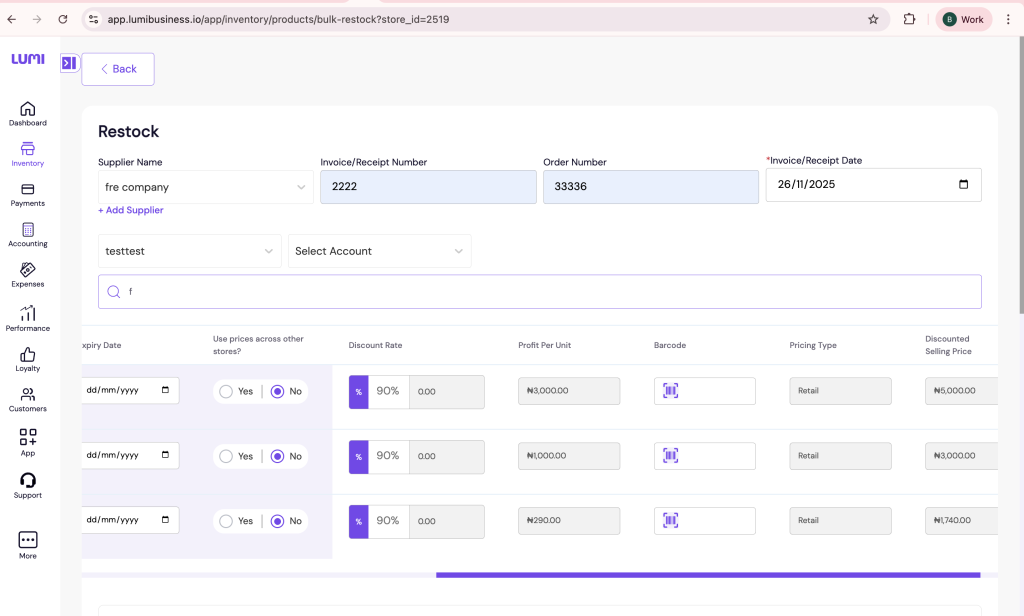
. Add or Update Barcode During Restock
- Go to Inventory → Restock
- Select product
- Tap Scan Barcode to confirm the item
- Enter quantity
Why this matters: Prevents restocking the wrong item and keeps your stock management system Nigeria accurate.
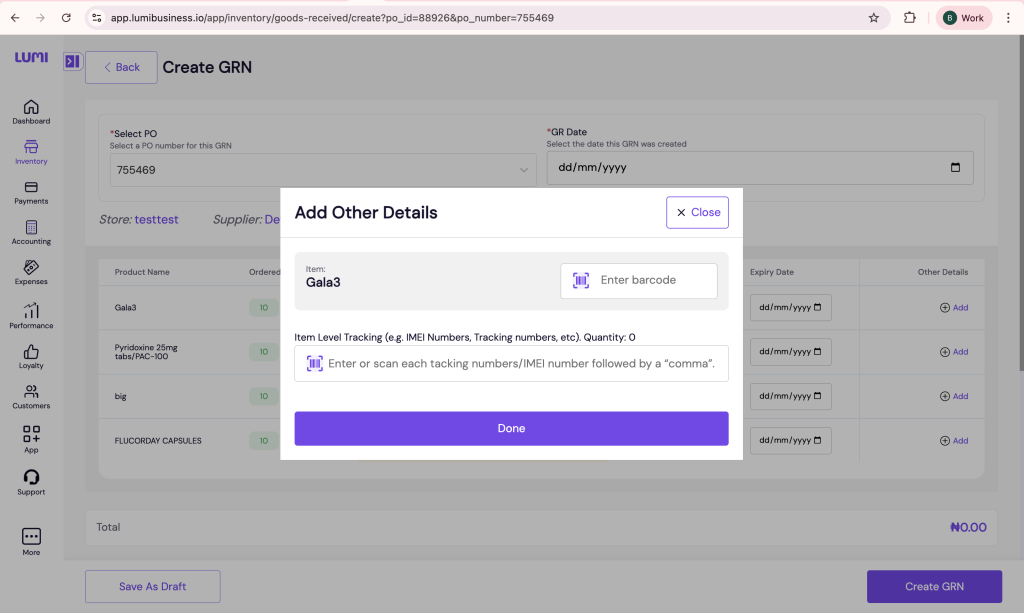
3. Add Barcodes in GRN (Goods Received Note)
- Open GRN
- Select supplier
- Scan delivered items
- Enter received quantities
Why this matters: Verifies items from suppliers and reduces receiving errors.
Who Uses This Feature in Nigeria
- POS for supermarkets Nigeria
- POS for pharmacies Nigeria
- POS for retail shops Nigeria
- POS for mini-mart Nigeria
- POS for electronics store Nigeria
- POS for fashion store Nigeria
Any business managing multiple SKUs benefits from barcode automation.
Supported Devices or Requirements
- Android smartphones and tablets
- Lumi Business POS app
- POS app for Android Nigeria
- Optional: Physical handheld barcode scanner
- Works fully as an Android POS Nigeria solution
Why Choose Lumi Business POS
Lumi Business offers a modern, reliable, and affordable POS system in Nigeria that supports barcode scanning, inventory automation, and fast checkout. It helps retailers run smoothly while maintaining full control of stock and sales.
Summary
Barcode scanning in Lumi Business POS delivers:
- speed
- accuracy
- seamless inventory automation
- better sales control
It removes manual errors and supports the growing needs of Nigerian businesses looking for a trusted POS and inventory system Nigeria.